//CRM & internal tools
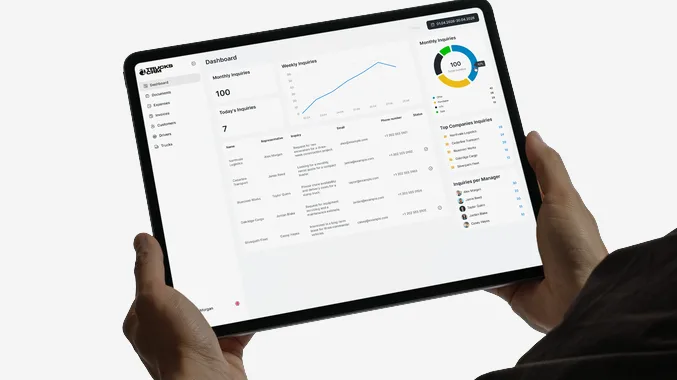
Custom CRM development, and the internal tools around it
We build custom CRM systems, client portals, order and job management tools, internal dashboards and the integrations between them — for companies in Lithuania and across Europe whose process does not fit anything you can subscribe to. Every company past a certain size runs on something nobody designed: a spreadsheet with forty tabs, a chat thread where decisions happen, three tools that each hold a third of the truth. We replace that with software built around how the work actually goes. We have written two of these for ourselves, so we know exactly how expensive the wrong answer is.
What lands under this tag...
A CRM shaped like your sales process
Best for a brochure site, landing page, or clearly scoped feature. Fixed price, fixed timeline.
Order, job and project management
Best for a brochure site, landing page, or clearly scoped feature. Fixed price, fixed timeline.
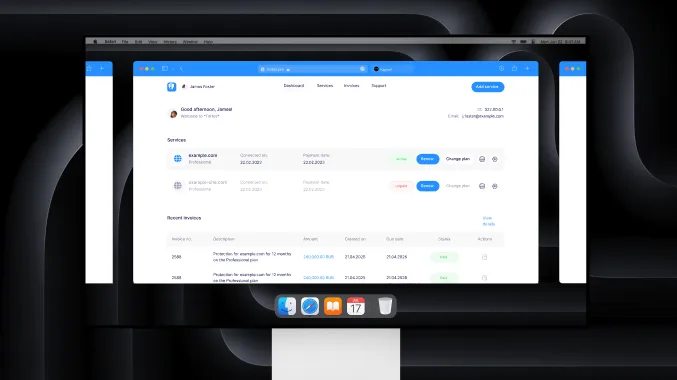
Client portals — a login instead of an email
Best for a brochure site, landing page, or clearly scoped feature. Fixed price, fixed timeline.
Dashboards that pull from every source
Best for a brochure site, landing page, or clearly scoped feature. Fixed price, fixed timeline.
Documents — quotes, invoices, reports
Best for a brochure site, landing page, or clearly scoped feature. Fixed price, fixed timeline.
Integrations between the tools you keep
Best for a brochure site, landing page, or clearly scoped feature. Fixed price, fixed timeline.
2
internal systems we built for ourselves and use daily
6–8 wks
to a first module your team stops working around
1
process mapped before any code — the free part
100%
of the code, database and deployment handed to you
//who this is for
Who we develop CRM systems for
Most of our CRM development work starts the same way: a company of fifteen to a hundred and fifty people, growing, running on a stack that made sense at twenty and does not at eighty. Sales lives in one place, delivery in another, and the monthly numbers are assembled by hand by whoever has the patience.
We develop the system that holds all of it: a CRM shaped like your sales process rather than a vendor's, order and job management for the work that follows the sale, a client portal so customers stop emailing for status, dashboards that pull from every source you already pay for, and document generation for quotes, invoices and reports. Built as web software, so it opens in a browser on any machine, with roles deciding who sees what.
We are based in Vilnius and work with Lithuanian and Baltic companies on site, and with the rest of Europe remotely. Delivery in English, Lithuanian or Russian, whichever your team actually uses in the office.
Logistics and transport
Orders, routes, drivers, documents. Dispatch work is full of rules no generic CRM can express, which is why this is our most common custom build.
Wholesale and equipment trade
Catalogs, configurators and quotes off one price list, so the number a salesperson sends matches the number in the system.
Professional services and agencies
Projects, hours, deliverables and client-facing reporting — the shape both of our own internal systems took.
Manufacturing and field work
Jobs on the floor or in a van, status from a phone, and an office view that is finally accurate before lunch.
E-commerce operations
The layer behind the shop: suppliers, stock, returns and the reconciliation that no storefront platform does well.
//the honest framing
Custom, off-the-shelf, or the spreadsheet you already have
Most of the money lost in this category is lost at this decision, not in the build. So we make it first, out loud, before anyone signs anything. All three answers are legitimate and we have recommended each of them.
//often right
Buy something off the shelf
If your process looks like everyone else's, a subscription beats a build on every axis. Pipedrive, HubSpot, Odoo and the rest exist because most sales processes really are similar.
live this month, not this quarter
someone else pays for the maintenance
we will help you configure it and stop there
//what we do
Build it around the process
Worth it when the thing you do differently is the thing you are paid for. Then bending it to fit a generic tool costs more every year than building it once.
your workflow, not a vendor's idea of it
no per-seat bill that grows with the team
you own it, including the exit
//sometimes
Keep the spreadsheet
Under about five people with a process still changing monthly, a spreadsheet is faster than anything we could build. Software fixes a process in place, which is a cost when the process is not settled yet.
free, and everyone already knows it
change it on a Tuesday, no ticket
it breaks at multi-user, history and permissions
//the proof
We wrote two of these for ourselves
An agency that builds internal tools for other people and runs its own on spreadsheets is telling you something. We run two: a platform for the SEO side and an operating panel for the Telegram side. Both started as one module that solved one painful thing, and both grew because the first module worked.
The lesson we brought from both: the hard part is never the CRUD. It is deciding what is allowed to be edited after the fact, who approves what, and what a number means when two systems disagree.
[01]
A catalog with rules, not a task list
work enters a plan because a finding triggered it
[02]
Documents that freeze on publish
a later sync never rewrites a sent report
[03]
Approval as a state, not a habit
nothing reaches a client before someone signs
[04]
Six external sources, synced nightly
and a documented answer for when they disagree
[05]
Client-facing cabinet
a login instead of a monthly PDF, no per-seat charge
[06]
Multi-project isolation
many clients in one system, no mixed numbers
//how we build it
One module at a time, starting with the worst one
[01]
Sit with the people doing it
Two days watching the actual work, not the org chart version of it. The real process always has three steps nobody documented and one person everything routes through.
[02]
Map it, then cut it
A written process map, and an argument about which half of it is worth automating. Automating a bad process just makes it faster at being bad.
[03]
Ship the painful module
Not the easy one. The one people complain about, because that is the only way the team chooses to use the new system instead of working around it.
[04]
Migrate, then grow
Old data in, old tool off. Then the next module, priced separately, decided once you have lived with the first one for a month.
//the objections
What you are probably thinking
Everyone arriving on this page has either been burned by a custom system before or is afraid of being the first.

“Custom software is a money pit.”
It is when it is bought as one enormous project with a scope written by committee. We sell modules. The first one is priced, built and useful on its own, and you can stop after it. Three clients have, and we consider those successful engagements.

“What if you disappear?”
The honest risk of custom work, and the reason we build on boring, widely known technology rather than something clever. Your repository, your server, your database, documented deployment. Any competent developer can pick it up — that is a design requirement, not a courtesy.

“Our team will not use it.”
They will not, if it is slower than the spreadsheet. That is why we start with the module people already hate doing by hand, and why we sit with them first. A tool that saves the loudest sceptic an hour a day sells itself to everyone else.

“We have five years of data in the old tool.”
Migration is a named line in the quote, not an afterthought, because it is usually the part that overruns. We do a test import early, show you what came through badly, and agree what is worth cleaning before launch rather than after.

“Can it talk to our accounting system?”
Usually. If it has an API, yes; if it only has file export, we work with that and say so upfront. We check this in the mapping phase, before it becomes an expensive surprise in week six.

“Who maintains it afterwards?”
Your choice, and we are fine with either. A monthly retainer with us, or a handover to your own developer with documentation and a walkthrough. Three months of warranty comes with the build regardless of which you pick.
//recent work
CRM case studies
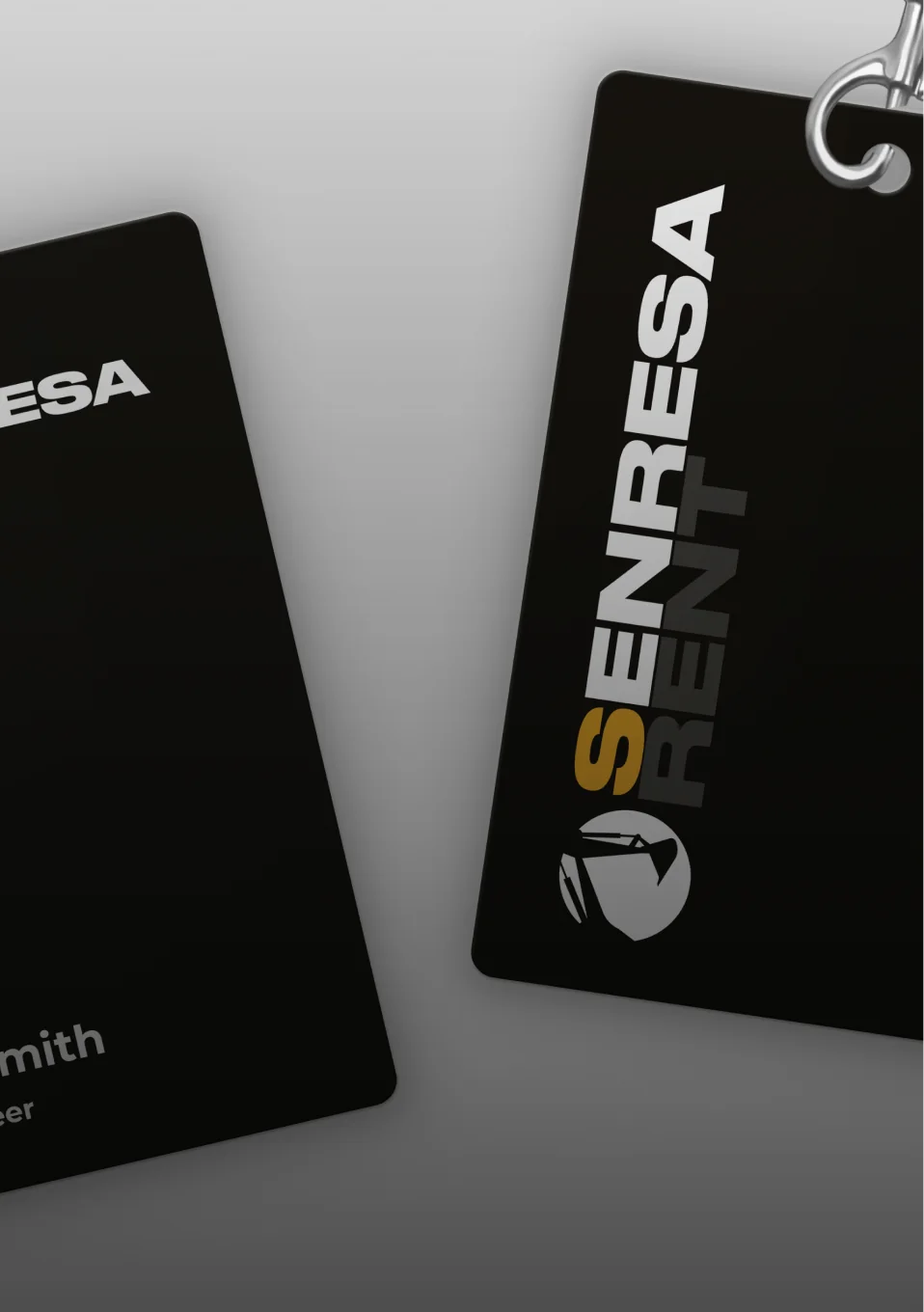
Senresa
A custom CRM for a heavy equipment rental company — document management, worker tracking and e-signing.
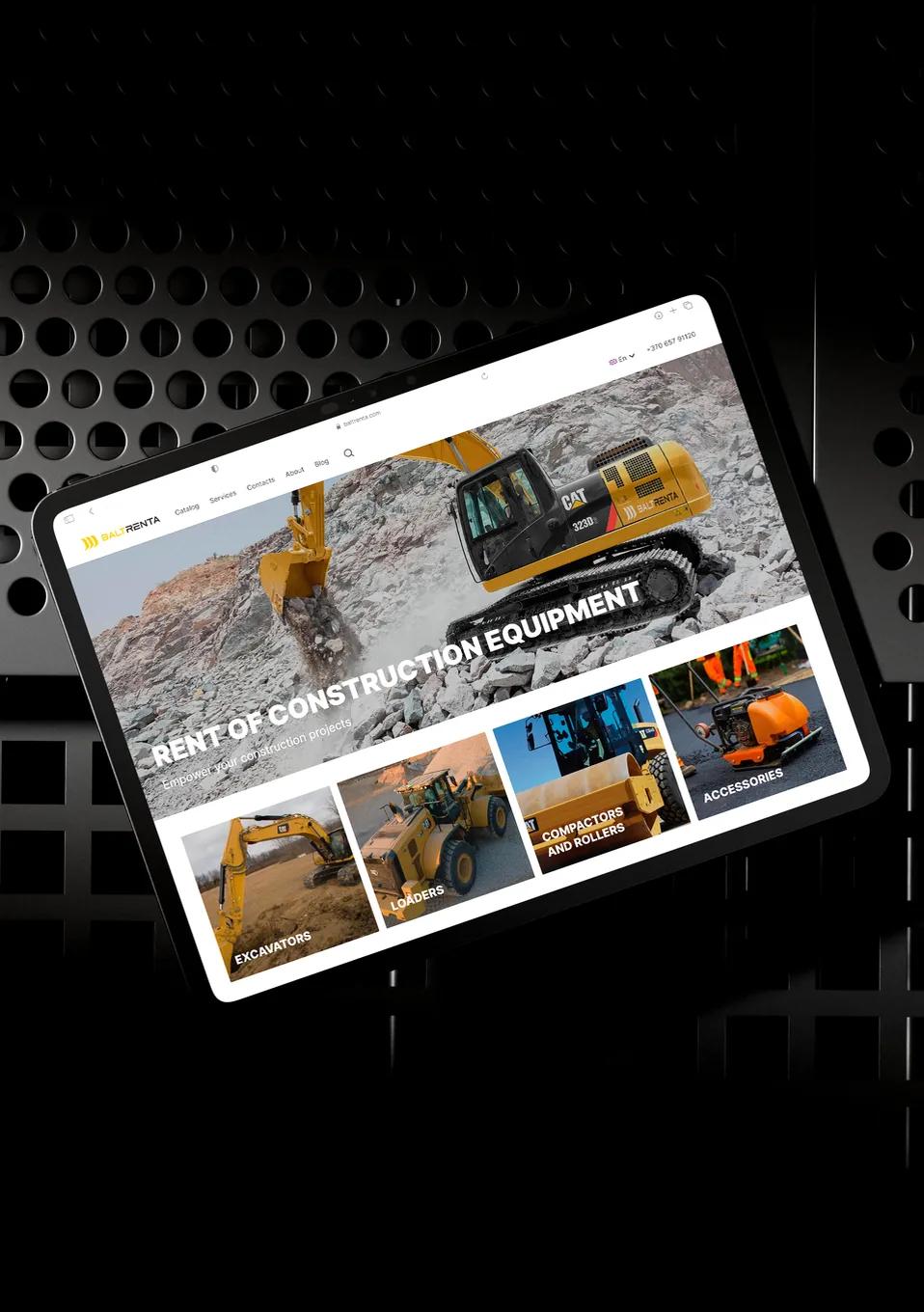
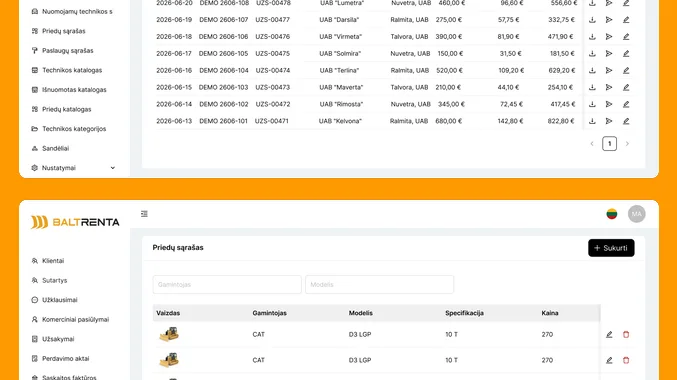
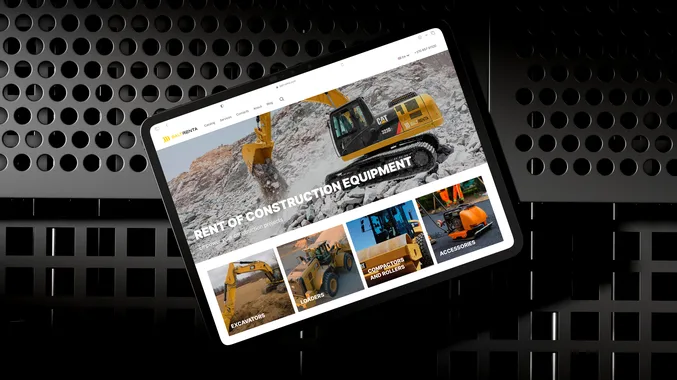
Baltrenta
A catalog website for a construction equipment rental company, with availability status and a one-click rental request form.
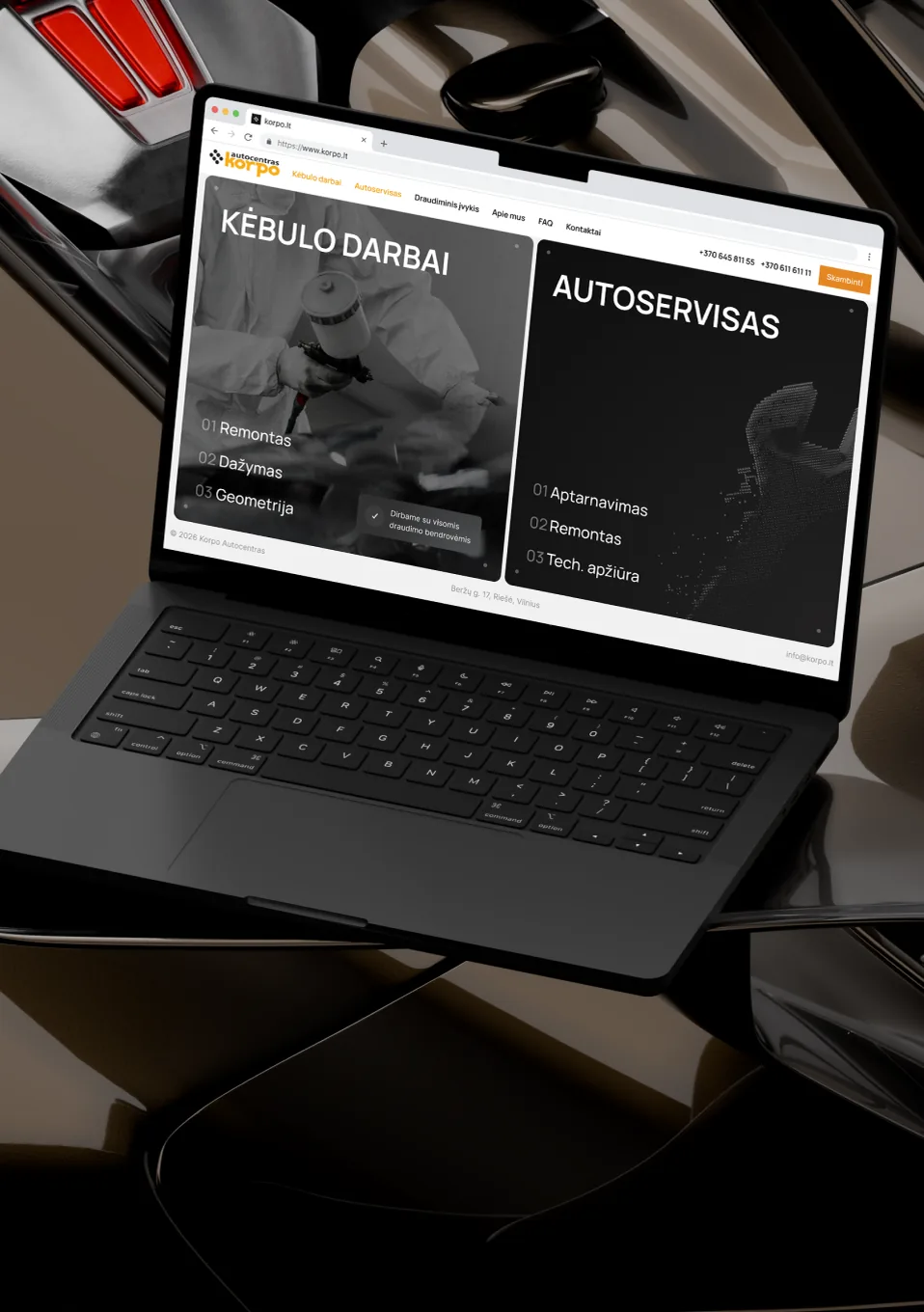
Korpo
A visual redesign for a Vilnius car body repair and service center — body work, service and insurance claims.
//what it costs
Priced per module, not per dream
Nobody should sign for a whole system before using one part of it. Each module is scoped, fixed-priced and useful on its own, and you decide about the next one after living with the last.
PROCESS MAPPING
free
1–2 days on site or remote
A written map of how the work actually flows, and a straight answer on build, buy or neither.
FIRST MODULE
from €6K
6–8 weeks
One workflow end to end: data model, screens, roles, migration of the old data, deployment.
WE KEEP IT RUNNING
from €299
per month, rolling
Hosting, monitoring, backups, small changes, and a developer who already knows the codebase.
//questions
CRM and internal tools questions, answered
How do we know a custom build is justified?
Two signs, usually both present: your team maintains a workaround outside the official tool, and the thing that makes you different is exactly the thing the tool cannot express. If neither is true, configure something off the shelf and spend the money elsewhere.
Can you extend the system we already have?
Frequently, and it is cheaper than a rebuild when the foundation is sound. We start with a short code and data audit, then say honestly whether extending or replacing is the better spend. Sometimes the answer is a new module beside the old system rather than inside it.
Where does it run, and who holds the data?
On your infrastructure or a server we set up for you, in the EU by default. You hold the database and the credentials from day one. If your compliance people need it on your own hardware, that works too and changes very little about the build.
Do you do training and documentation?
Yes, and both are in the quote rather than sold later. A session with the people who will use it daily, a short written guide for their part of it, and developer documentation for whoever maintains the code after us.
When would you tell us not to build?
When the process changes every month, when a standard tool covers ninety per cent and the last ten is a preference rather than a constraint, when nobody internally owns the project, or when the real problem is that two departments disagree about how the work should go. Software will not settle that argument.
//tools
What we build it on




boring and well documented
AI integration
the drafting and classification layer on top of it
Web development
when the page needs rebuilding rather than tweaking
Pricing
fixed price, time and materials, or a dedicated team
//contact us
Show us the spreadsheet. We will show you the system.
One or two days with your team, free, and you keep the map regardless of what you decide afterwards. We come back with the honest recommendation — build, configure something existing, or leave it alone for another year.